
After completing the Joint Admissions and Matriculation Board (JAMB) Unified Tertiary Matriculation Examination (UTME), one of the most important steps for every candidate is checking their examination result. Knowing your JAMB score helps you understand your admission chances, choose suitable institutions, and prepare for the next stage of the admission process.
JAMB usually releases UTME results in batches after the examination period. Some candidates may receive access to their scores shortly after results are released, while others may need to wait until their results are processed and uploaded. Because release schedules can vary, candidates should always confirm updates through the official JAMB website instead of relying on unofficial websites or social media claims.
There are different ways to check your JAMB result in 2026. The fastest method is through SMS using the phone number linked to your JAMB registration. Candidates can also check and print the official JAMB result slip online through the JAMB e-Facility portal once the service becomes available.
This guide explains exactly how to check your JAMB result online, how to check using SMS, what information you need, common problems candidates face, and what to do after receiving your UTME scores.
How to Check JAMB Result 2026 Through SMS
The SMS method is usually the quickest way for candidates to check their JAMB result because it does not require internet access. It is often activated shortly after JAMB begins releasing UTME scores.
To check your result through SMS, you must use the same phone number you used during your JAMB registration. The phone number linked to your JAMB Profile Code is connected to your examination record, meaning sending the request from another number may not work.
Open the SMS application on your phone and type the following message exactly:
UTMERESULT
The message must be written in capital letters without spaces, punctuation marks, or additional words.
Send the SMS to either 55019 or 66019 using your registered phone number. Before sending the message, make sure your SIM card has enough airtime because network charges apply. Having between ₦50 and ₦100 airtime available is recommended.
After sending the request, wait for JAMB’s response. The reply usually contains your subject scores and your total UTME score, which is calculated out of 400.
If you do not receive a response immediately, do not panic. Network congestion and high demand after result release can delay responses. You can wait and try again later or use the alternative shortcode.
The SMS result is useful for quickly viewing your scores, but it is not the official printable result document required by many universities and other higher institutions during admission screening.
How to Check and Print Your Official JAMB Result Slip Online
The official JAMB result slip contains more detailed information than the SMS result. It includes your passport photograph, complete subject scores, examination details, and security features required for admission processes.
To access your official JAMB result slip online, visit the JAMB e-Facility portal through the official JAMB website. Always ensure you are using the correct JAMB website because fraudulent websites often appear during result periods.
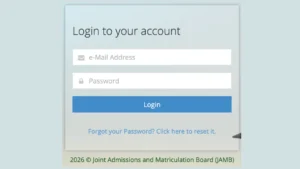
Log into your JAMB profile using the email address and password you created during registration. If you cannot remember your password, use the password recovery option available on the portal.
After logging in successfully, navigate to the section for checking or printing your UTME result slip. Select the examination year, which should be 2026 for candidates who participated in the 2026 UTME.
You may be required to provide your JAMB Registration Number before continuing. After confirming your details, proceed with payment for the result slip printing service through the available payment options.
Once payment is completed successfully, you can download your JAMB result slip as a PDF file and print it. Printing the document in colour is recommended because it preserves the official appearance and makes it easier for institutions to verify.
Candidates should keep several copies of their printed JAMB result slip because it may be required during Post-UTME screening, admission verification, and other academic procedures.
Information Needed Before Checking Your JAMB Result
Before attempting to check your JAMB result, ensure you have the necessary information available. For the SMS method, you need the phone number used during JAMB registration and enough airtime to send the request.
For the online method, you need access to your JAMB profile login details, including your registered email address and password. Your JAMB Registration Number may also be required depending on the service available.
Candidates should also ensure they have a stable internet connection when using the e-Facility portal because heavy traffic after result release can sometimes make the website slower than normal.
Keeping your JAMB registration details safe throughout the admission process is important because the same information may be needed later for admission status checking, CAPS updates, and other JAMB services.
Common Problems When Checking JAMB Result and Solutions
Many candidates experience difficulties when trying to check their JAMB results. These problems are usually caused by incorrect details, network issues, or delays in result processing.
One common issue is not receiving an SMS response after sending UTMERESULT. If this happens, confirm that you are using the same phone number linked to your JAMB registration. Check that you have enough airtime and try sending the message again later.
Another problem is when the JAMB portal does not display your result. This can happen when results are being released gradually. JAMB does not always upload all results at the same time, so some candidates may need to wait before their scores become available.
Candidates who forget their login details can recover access through the password recovery option on the JAMB portal. It is important to use the same email address connected to your JAMB profile.
Sometimes candidates receive a message that their result is not yet available. This does not necessarily mean there is a problem. Results may still be undergoing processing, especially during periods when JAMB is releasing results in stages.
Important Safety Tips When Checking Your JAMB Result
Candidates should always use official JAMB platforms when checking their UTME results. Avoid websites, social media pages, or individuals claiming they can provide results before official release.
Never share your JAMB login details, profile information, or examination information with unknown people. Scammers often target candidates during admission periods by creating fake result-checking services.
Only use verified JAMB channels for checking results, printing result slips, and completing admission-related activities.
After checking your result, keep your login information and registration details secure because you may need them throughout the admission process.
What to Do After Checking Your JAMB Result
After checking your JAMB result, the next step depends on your score and admission plans. Candidates should research their preferred institutions, confirm their cut-off requirements, and prepare for Post-UTME screening where applicable.
Candidates who meet admission requirements should continue monitoring their JAMB CAPS portal for admission updates. CAPS is the platform where JAMB processes and manages admission offers.
Candidates should also ensure their O’Level results are properly uploaded if required. Missing or incorrect information can affect admission processing.
Your JAMB result is an important part of your academic journey, so keeping your documents organized and following official instructions will help you avoid unnecessary delays.
Frequently Asked Questions About Checking JAMB Result
When will JAMB release the 2026 UTME result?
JAMB usually releases UTME results after the examination period, often within days or weeks depending on processing. However, candidates should confirm the exact release status through official JAMB announcements.
Can I check my JAMB result without internet?
Yes. Candidates can check their JAMB result through SMS using the registered phone number linked to their JAMB profile.
Can I use another phone number to check my JAMB result?
No. The SMS method requires the phone number used during JAMB registration because it is linked to your examination profile.
Is the SMS JAMB result the same as the official result slip?
No. The SMS response only provides your scores. The official result slip contains additional information and is the document usually required for admission purposes.
How much does it cost to print the JAMB result slip?
The cost may change depending on JAMB’s current pricing. Candidates should confirm the latest payment amount directly through the official JAMB e-Facility portal.
Final Thoughts
Knowing how to check your JAMB result online in 2026 is essential for every UTME candidate. Whether you choose the quick SMS method or the official online result slip option, always use your correct registration details and follow official JAMB instructions.
The fastest way to view your score is usually through SMS, while the online JAMB e-Facility portal provides the official printable result document required for admission processes.
After checking your result, keep your documents safe, monitor your admission status, and avoid unofficial sources that may provide misleading information.
By following the steps explained in this guide, candidates can successfully check their JAMB result, access their official result slip, and confidently continue their admission journey.
Leave a Reply